The Reversi app
In brief
Available on the App Store for iPhone and iPad, and on Google Play for Android. You play against the computer, at one of 3 levels. The app is displayed in portrait.
Download
| Devices | Link |
|---|---|
| iPhone and iPad (App Store) | View on App Store (new tab) |
| Android (Google Play) | View on Google Play (new tab) |
What the app does
- Reversi on an 8 × 8 board, following the rules described on this site.
- Against the computer, which replies after a short thinking time.
- "Who starts": You, CPU, Random (Random by default).
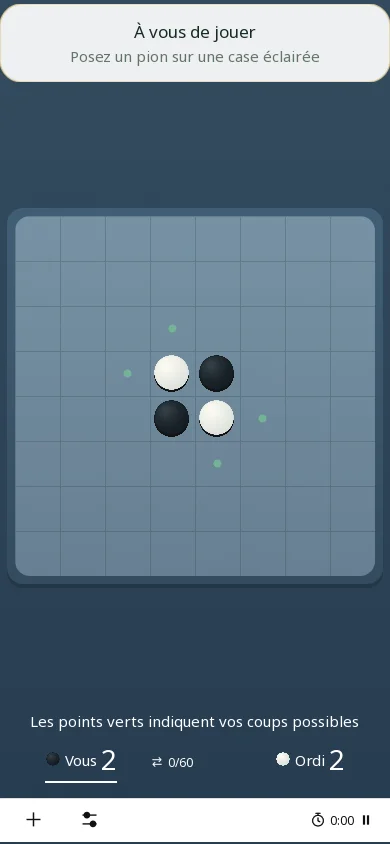
- Green dots on the possible moves during your turn, a gold frame on the last disc placed, both sides' scores and a timer.
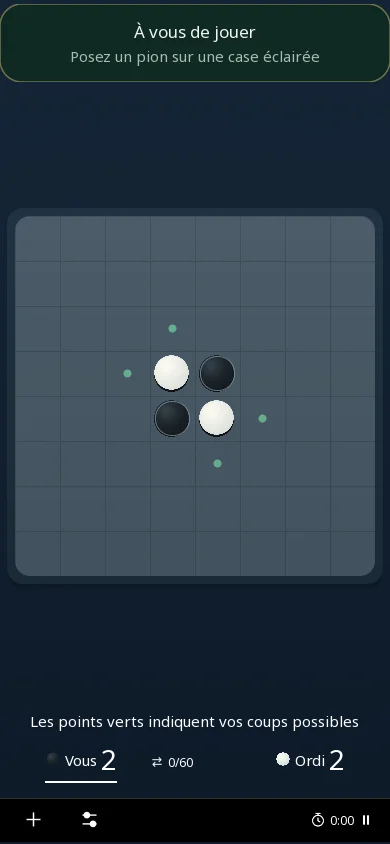
- Settings: light, dark or system interface; 4 boards (Sage Green, Slate Blue, Soft Plum, Golden Sand, "Slate Blue" by default); 36 languages.
- Statistics: games, wins, losses, draws, streaks, results by who starts, and a ranking of your 10 best games.
The levels
The "CPU level" is chosen in the New game window. The computer looks ahead 1 move on Easy, 3 on Medium and 5 on Hard, counting the moves of both sides. For each move it considers, it examines at most 128 positions: the game stays fast, but a higher level is not guaranteed to beat a lower one.
Preview
Real screenshots of the app on a phone: the start of a game, then the same position in the dark interface.